Issue: Find the keys to connect to a log analytics instance in Azure.
Solution: You can find this under Log Analytics Workspace > Agents > Log Analytics Agent Instructions

Issue: Find the keys to connect to a log analytics instance in Azure.
Solution: You can find this under Log Analytics Workspace > Agents > Log Analytics Agent Instructions
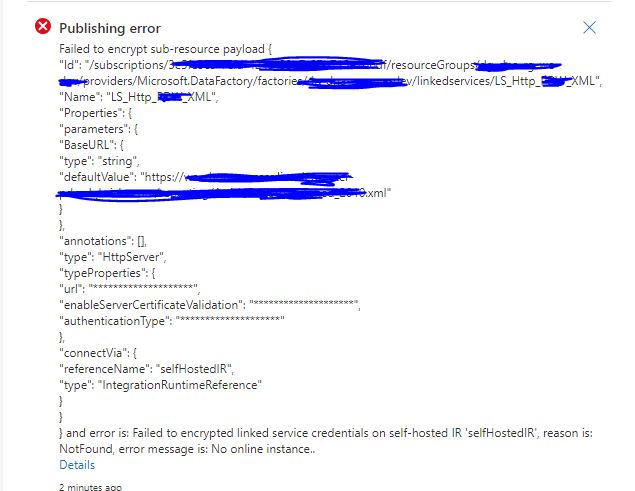
Publishing errorFailed to encrypt sub-resource payloadand error is: Failed to encrypted linked service credentials on self-hosted IR 'selfHostedIR', reason is: NotFound, error message is: No online instance..
Register Azure Event Grid resource provider to your subscription before creating an event trigger.
 |
| Registering Microsoft.DataFactory resource provider |
 |
| Registering Microsoft.EventGrid resource provider |
Scenario: We have to connect to an on-premise SQL Server/Oracle database and have three synapse workspaces in Azure, DEV, UAT and PROD in three different subscriptions.

Current- Architecture
To connect to these sources on the on-premise networks we have virtual networks set up on Azure, gateways and site to site connections to local network.
The downside of this is having to maintain a lot more from an administrator perspective,
 |
| Proposed Architecture with Shared Self Hosted IR. |

Error: User with Owner access at subscription level getting a failed error while opening Synapse Studio, and not able to see any pipelines, linked service etc
Failed to load one or more resources due to no access, error code 403

Root Cause: Even if you have owner level privileges at the subscription level, you still have to assign rights inside Synapse Studio.
Fix: Go to Synapse Studio > Manage tab

Go to Access Control > Click on Add

Add the user you want to give Administrator access to

Issue description: New user not able to create an Azure Data Factory instance despite having owner or contributor group access at resource group level.
Error - The client '' with object id '' does not have authorization to perform action '' over scope '/subscriptions/' or the scope is invalid. If access was recently granted, please refresh your credentials. (Code: AuthorizationFailed) (Code: AuthorizationFailed)
Root Cause - The root cause of this issue is that, when you setup a subscription, only a default set of Microsoft Providers are by default registered.

Fix: Go to Subscriptions > Resource Providers and add/register the 'Microsoft.DataFactory' provider.

