Issue: Find the keys to connect to a log analytics instance in Azure.
Solution: You can find this under Log Analytics Workspace > Agents > Log Analytics Agent Instructions

Issue: Find the keys to connect to a log analytics instance in Azure.
Solution: You can find this under Log Analytics Workspace > Agents > Log Analytics Agent Instructions
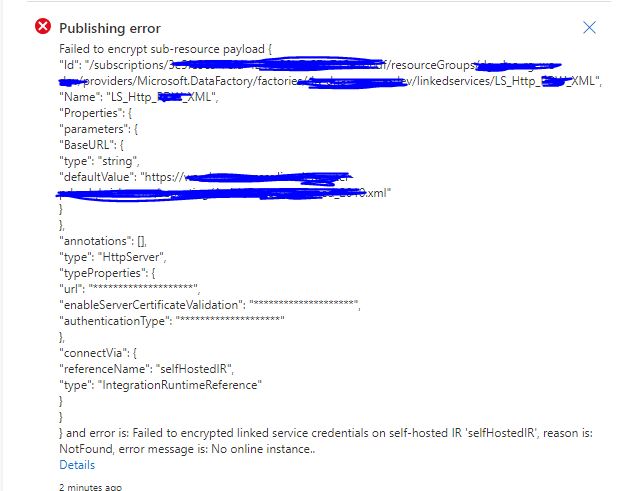
Publishing errorFailed to encrypt sub-resource payloadand error is: Failed to encrypted linked service credentials on self-hosted IR 'selfHostedIR', reason is: NotFound, error message is: No online instance..
Register Azure Event Grid resource provider to your subscription before creating an event trigger.
 |
| Registering Microsoft.DataFactory resource provider |
 |
| Registering Microsoft.EventGrid resource provider |
 |
| Error in Synapse / Azure Data Factory |
Aim - Build a pipeline that can take an excel as input in a file contianer and write into a parquet file.
Issue:- When processing the file, the copy activity runs into an error saying one of the fields cannot have more than one value.
"errorCode": "2200",
"message": "ErrorCode=ParquetJavaInvocationException,'Type=Microsoft.DataTransfer.Common.Shared.HybridDeliveryException,Message=An error occurred when invoking java, message: java.lang.IllegalStateException:field 42 (COUNTRY_NAME) can not have more than one value: [Ägypten]\ntotal entry:6\r\norg.apache.parquet.example.data.simple.SimpleGroup.add(SimpleGroup.java:106)\r\norg.apache.parquet.example.data.simple.SimpleGroup.add(SimpleGroup.java:196)\r\norg.apache.parquet.example.data.Group.add(Group.java:59)\r\norg.apache.parquet.example.data.Group.append(Group.java:137)\r\ncom.microsoft.datatransfer.bridge.parquet.ParquetBatchWriter.readRow(ParquetBatchWriter.java:112)\r\ncom.microsoft.datatransfer.bridge.parquet.ParquetBatchWriter.addRows(ParquetBatchWriter.java:60)\r\n.,Source=Microsoft.DataTransfer.Richfile.ParquetTransferPlugin,''Type=Microsoft.DataTransfer.Richfile.JniExt.JavaBridgeException,Message=,Source=Microsoft.DataTransfer.Richfile.HiveOrcBridge,'",
"failureType": "UserError",
"target": "Copy Bronze - Excel to Parquet",
Cause:- This has to with the excel file having two or more columns with the same name. We had the field "COUNTRY_NAME" twice in the excel and this was causing the issue.
Fix: Remove the duplicated field and re-process the file again.
Scenario: We have to connect to an on-premise SQL Server/Oracle database and have three synapse workspaces in Azure, DEV, UAT and PROD in three different subscriptions.

Current- Architecture
To connect to these sources on the on-premise networks we have virtual networks set up on Azure, gateways and site to site connections to local network.
The downside of this is having to maintain a lot more from an administrator perspective,
 |
| Proposed Architecture with Shared Self Hosted IR. |

